Open the site by clicking HERE
When you open the website,
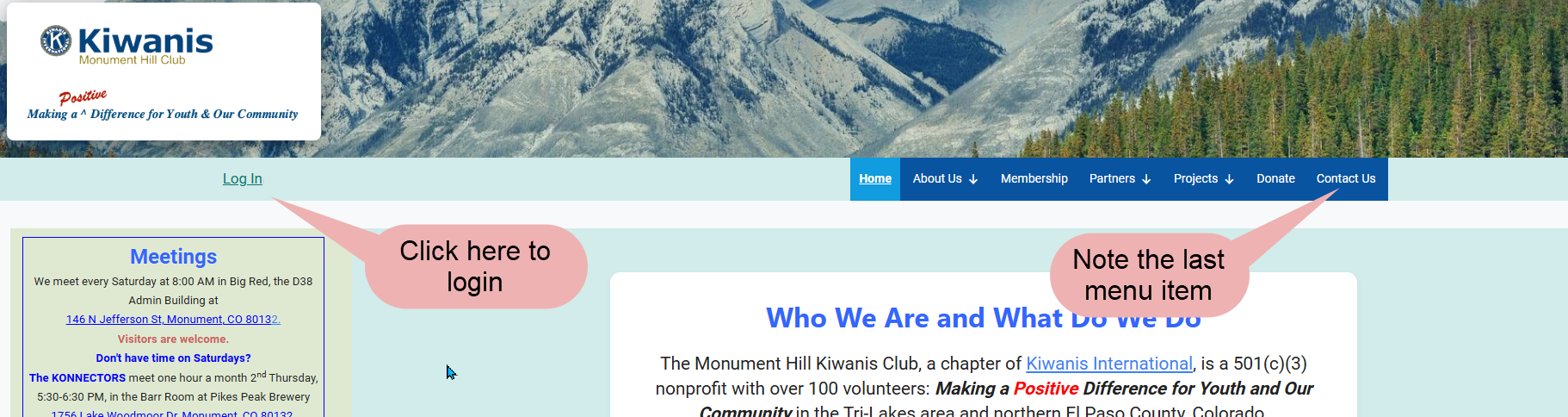
click the Log in link in the upper right
corner.
The club has a new WordPress-based website to give it a modern look and make updates
easier. All user information except passwords have been
copied from the old site.
These steps show how to reset your password and log in.
When you open the website,
click the Log in link in the upper right
corner.
Click the login link to go to the login page.
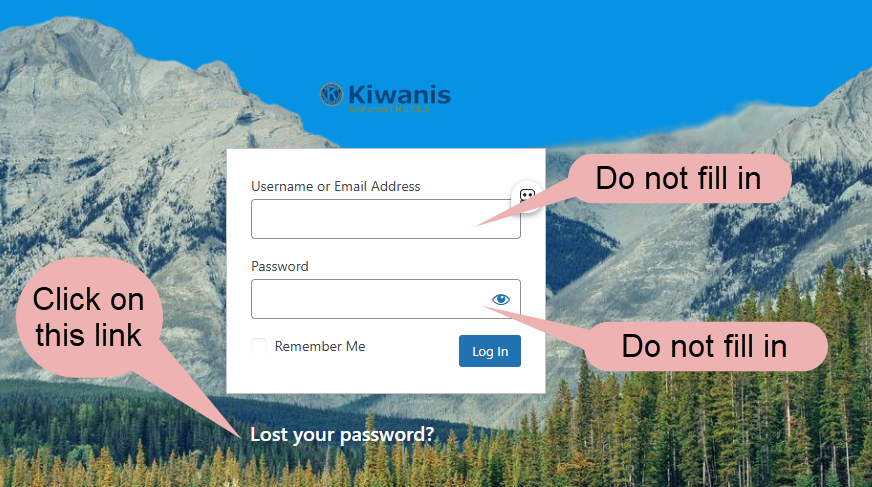
Do not log in now. Click "Lost your password?" to start the reset process.
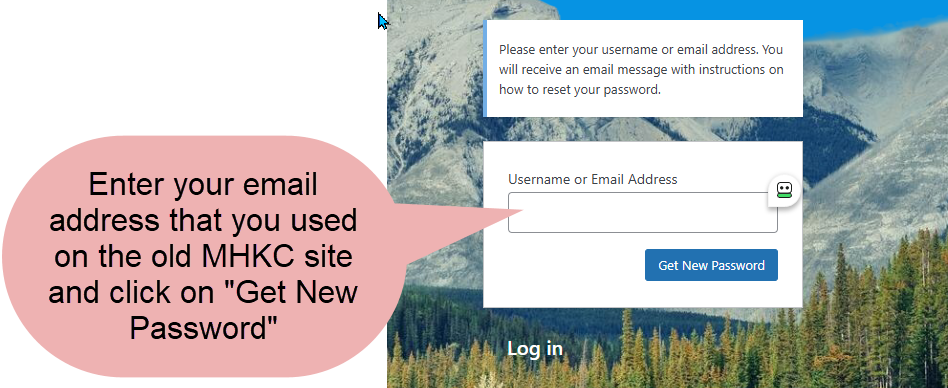
Enter your email and click Get New Password. You'll receive an email with a reset link.
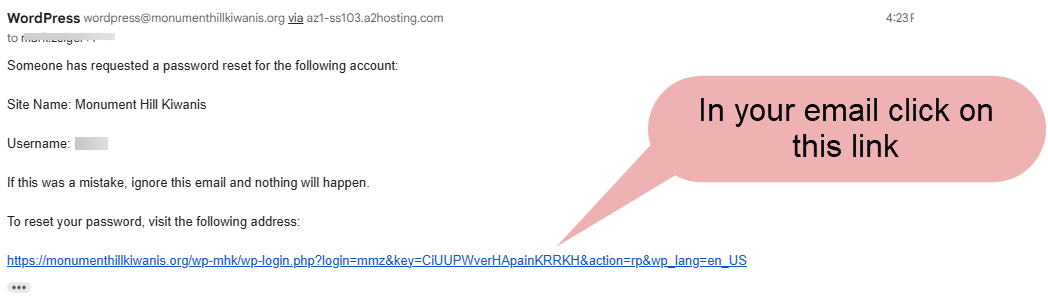
This is a message to go to your email.
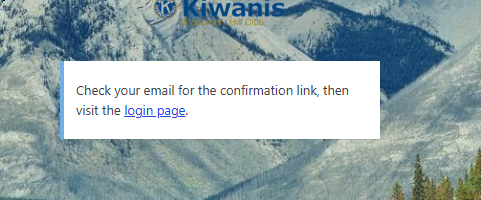
Click on the link in the email to open the password reset page.
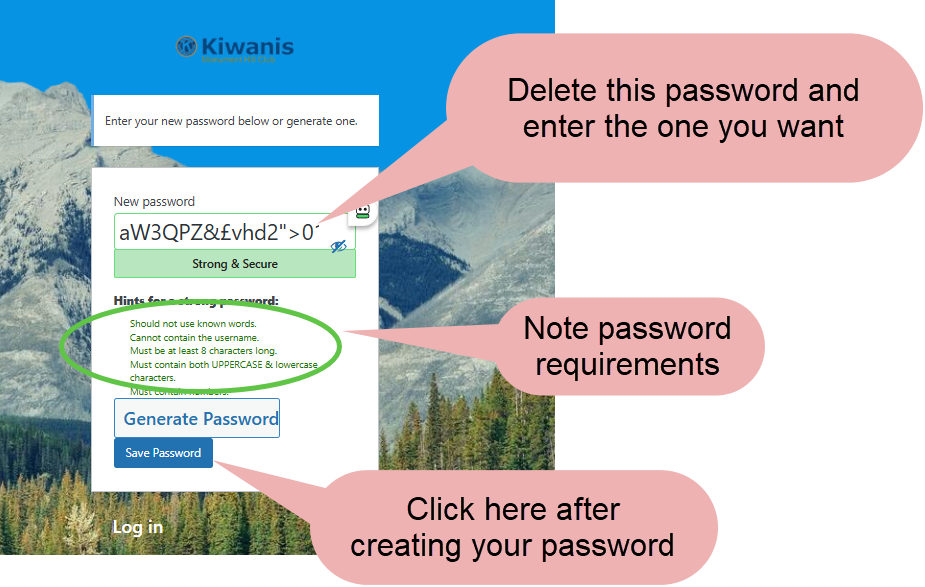
You are now back in your browser and can enter your new password. The new password dialog has a default complex password. Delete it and enter your password. Note the password requirements.
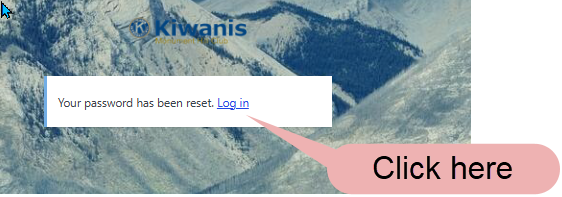
Click on the link to go to the login screen.
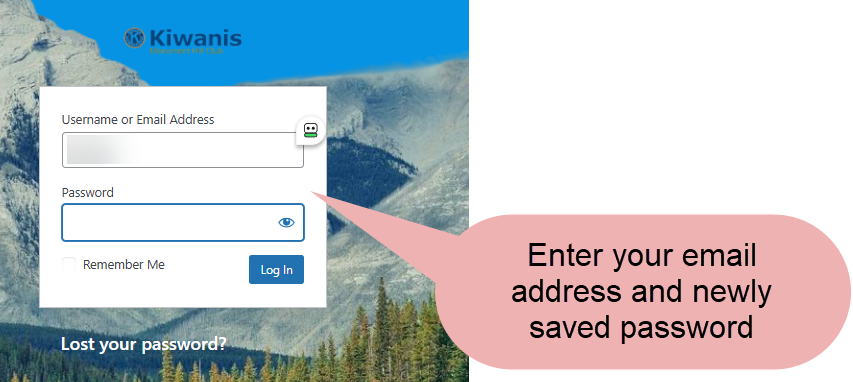
Enter you email and your new password.
In the upper left corner, you'll see your username and the logout link. You will also see a new menu item on the right that gives you access to the member directory and other member-only content.
